.svg)


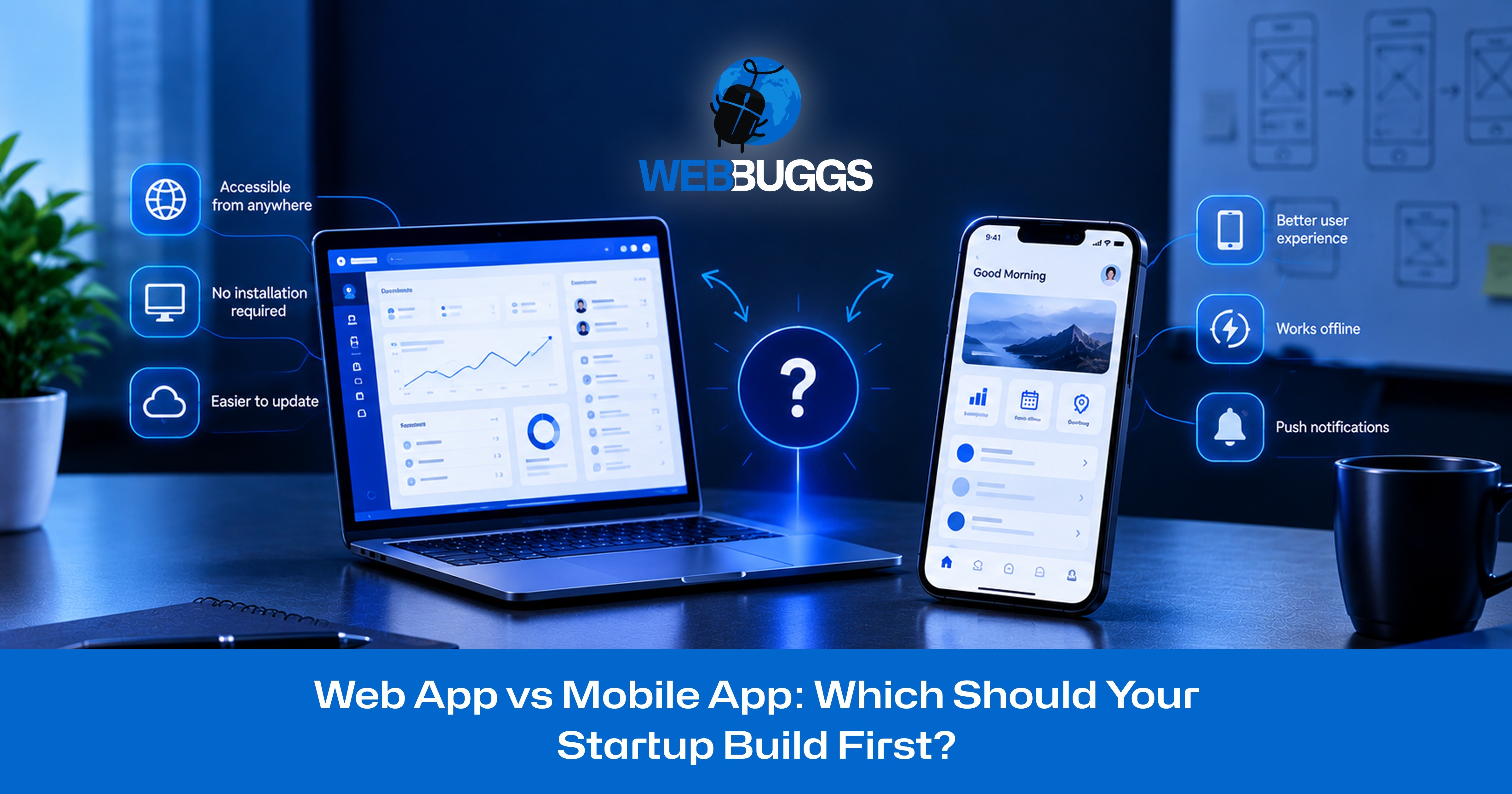
Web App vs Mobile App: Which Should Your Startup Build First?
Web App vs Mobile App: Which Should Your Startup Build First?
You have a startup idea, a limited budget, and a product you want to bring to market. But before development begins, there's one important decision that could influence your launch timeline, development costs, and long-term growth: Should your startup build a web app or mobile app first?
It's a common dilemma for first-time founders.
A mobile app might seem like the obvious choice. After all, smartphones have become an essential part of everyday life, and many successful technology companies offer dedicated mobile applications.
However, building separate iOS and Android applications before validating your business idea can consume valuable resources.
On the other hand, choosing a web application simply because it appears cheaper can become a costly mistake if your product relies on advanced device functionality, specialized offline features, or mobile-first user experiences.
So, which should your startup build first?
For many early-stage startups, a web app is a practical starting point because it provides accessible product testing, cross-device compatibility, and relatively straightforward updates. However, a mobile app may be the better choice when native device capabilities, mobile-specific interactions, or offline functionality are central to your product.
The right decision depends on your business model, target audience, budget, and technical requirements.
In this guide, we'll compare web apps and mobile apps across development costs, timelines, performance, customer acquisition, and scalability. We'll also explore real-world startup scenarios and provide a practical decision framework to help you choose the right platform.
Web App vs Mobile App: What's the Difference?
Before comparing development budgets and launch strategies, it's important to understand the fundamental differences between web applications and mobile applications.
Both can provide sophisticated functionality, support customer accounts, process transactions, and integrate with external services.
However, they differ in how users access them, how they're developed, and which platform-specific capabilities they support.
What Is a Web App?
A web application is interactive software accessed through a web browser, typically using a URL.
Unlike a traditional informational website, a web app allows users to perform tasks, manage information, and interact with dynamic functionality.
Common examples include:
- SaaS dashboards and CRM platforms
- Online booking and appointment systems
- E-commerce management applications
- Customer and employee portals
- Project management tools
- Subscription-based business platforms
For example, imagine a startup developing project management software for small businesses.
Instead of requiring every customer to install an application, the company could provide browser-based access.
Users could create accounts, manage projects, assign tasks, track progress, and generate reports using compatible laptops, tablets, or smartphones.
A responsive web app can adapt to different screen sizes while sharing common backend infrastructure.
For startups building SaaS platforms, business dashboards, or online marketplaces, WebBuggs' web application development services provide solutions tailored to different business requirements.
What Is a Mobile App?
A mobile application is software designed for mobile operating systems such as iOS and Android.
Users typically download and install these applications through app stores or other supported distribution methods.
Mobile apps generally use one of two development approaches.
Native mobile development involves creating applications specifically for individual operating systems, commonly using Swift for iOS and Kotlin for Android.
Cross-platform development uses frameworks such as Flutter or React Native to share significant portions of the codebase between multiple mobile platforms.
Each approach has its own advantages involving development costs, performance, device compatibility, and maintenance.
For example, a fitness startup might create an application that communicates with wearable devices, records physical activity, and provides personalized notifications.
An installed mobile experience could be better suited to these requirements than a conventional browser-based application.
If you're considering native or cross-platform development, WebBuggs explains the potential architectural and financial risks in Native vs. Cross-Platform: The Mistake That's Costing Startups $50K in Rework.
Web App vs Website: Why the Difference Matters
A website and a web application aren't necessarily the same thing.
A traditional website primarily provides information about a business, product, or service.
A web application focuses on interactive functionality such as account management, reporting, scheduling, payments, and workflow automation.
However, modern websites can include advanced application features, so the distinction isn't always absolute.
For startup founders, the important question is whether a full application is necessary to validate their idea.
If your immediate goal is collecting registrations or measuring interest, a landing page might be sufficient.
If customers need ongoing access to interactive functionality, building an application may be justified.
Web App vs Mobile App: Key Differences Every Startup Should Know
The differences between web apps and mobile apps extend beyond where users access them.
Each platform offers distinct advantages and limitations that can affect development, user experience, and business growth.
Accessibility and Installation
Web applications run through compatible browsers, allowing users to access them using a URL without installing additional software.
This can make it easier for customers to try a product immediately.
Mobile applications usually require installation before users can access their main functionality.
Although installing an app may provide a convenient experience for returning customers, it introduces an additional step during onboarding.
For startups prioritizing rapid customer testing and accessible product trials, browser-based access can be beneficial.
Development Cost and Timeline
Web applications can be more cost-effective when a single responsive product meets the requirements of users across multiple devices.
Mobile development may involve additional platform-specific design, integrations, testing, and distribution requirements.
However, a complex enterprise web application can be significantly more expensive than a relatively simple mobile app.
Development costs and timelines depend primarily on product scope, technical complexity, integrations, and the team's experience.
Performance and Device Integration
Modern web applications can deliver excellent performance, particularly for SaaS dashboards, management platforms, and other browser-oriented products.
Mobile applications generally offer broader access to native operating-system APIs, making them suitable for specialized hardware integrations, advanced background functionality, and certain performance-intensive use cases.
For example, a product requiring extensive wearable-device interaction may benefit from native mobile development.
However, browser technology continues to evolve, so specific capabilities should be evaluated rather than assuming every hardware integration requires an installed application.
Offline Functionality
Mobile applications can store information locally and synchronize it when internet connectivity becomes available.
This can be useful for field professionals, delivery teams, and customers who frequently work in areas with unreliable connectivity.
Web apps can also support offline experiences through technologies such as service workers and caching.
However, their capabilities and limitations depend on the browser, operating system, and implementation.
Updates and Maintenance
Web application updates are generally deployed centrally, allowing users to access updated functionality through their browsers.
Mobile applications may require app store submissions, operating-system compatibility checks, and application updates.
Both platforms require ongoing security improvements, bug fixes, monitoring, and maintenance.
Customer Acquisition and Discoverability
Web applications can connect naturally with SEO, content marketing, referrals, and direct links.
Customers can often move from discovering a product to trying it within the same browser session.
Mobile applications can benefit from app store discovery and App Store Optimization (ASO).
However, app installation may introduce additional acquisition friction, particularly for products used infrequently.
User Engagement and Retention
Mobile apps can offer convenient access for returning users and platform-specific notification capabilities.
Web apps can support engagement through email, in-app messaging, and notifications in compatible environments.
Neither platform automatically guarantees stronger retention.
Long-term user engagement depends on the value your product provides, the quality of the experience, and how effectively it solves customers' problems.
Key takeaway: A web app is often a practical choice for accessible MVP validation and browser-based workflows, while a mobile app may be more appropriate when native device capabilities or specialized mobile experiences are essential.
Web App vs Mobile App Development Costs: Which Is More Affordable?
Development cost is one of the most important considerations for early-stage startups.
However, comparing a web app and mobile app based on a single price estimate can be misleading.
A simple appointment-booking application and a sophisticated SaaS marketplace with payment processing, advanced analytics, and multiple user roles involve very different levels of effort.
The platform matters, but application complexity often has a greater influence on the final cost.
How Much Does It Cost to Build a Web App?
Web application development costs depend on the functionality your product requires.
A basic MVP might include user registration, a responsive interface, database functionality, and a limited number of integrations.
A more sophisticated application could require:
- Advanced user permissions
- Subscription and payment management
- Third-party API integrations
- Real-time data processing
- Custom reporting dashboards
- Workflow automation
- Complex database architecture
- Enhanced security requirements
One advantage of web development is that a single responsive application can often serve users across desktops, tablets, and mobile browsers.
This can reduce the need to develop and maintain separate native applications during the early stages.
However, building custom software isn't always necessary.
For example, a startup requiring standard CRM functionality may be better served by purchasing an existing SaaS solution instead of developing an entirely new platform.
WebBuggs explores this important build-versus-buy decision in its guide to custom software vs. SaaS.
How Much Does It Cost to Build a Mobile App?
Mobile application development budgets depend on whether your startup targets iOS, Android, or both.
Separate native applications can require additional interface development, platform-specific implementation, and quality assurance.
Cross-platform frameworks may reduce duplicated work, although specialized functionality can still require platform-specific code.
Typical mobile development requirements include:
- Mobile UI/UX design
- Backend development and API integration
- Authentication and account management
- Push notifications
- Device permissions
- Offline storage and synchronization
- Operating-system compatibility testing
- Application distribution preparation
- Security and performance testing
Another important consideration is app store compliance.
Apple's official App Review Guidelines outline requirements related to application functionality, privacy, payments, safety, and overall quality.
Similarly, developers publishing Android applications should understand the requirements outlined in the Google Play Developer Policy Center.
Failing to account for these requirements can create additional development work and delays.
For a closer look at common publishing challenges, read WebBuggs' article on why apps get rejected by Apple and Google under the 2026 app store rules.
Hidden Development Costs Startups Often Overlook
The initial development budget is only part of the investment.
Startups should also consider cloud hosting, database services, third-party APIs, software monitoring, security updates, customer support, and future feature development.
Mobile applications may require additional testing when operating systems or external SDKs change.
Beyond technical expenses, founders need resources to acquire customers.
Spending the entire budget on development without allocating money to marketing and customer research can leave a startup with a functional product but insufficient demand.
For this reason, compare first-year total cost of ownership, not just the initial development price.
First-Year Cost Comparison: A $40,000 Startup Example
Consider a hypothetical startup with a total product-launch budget of $40,000.
The founders are deciding whether to build a web MVP first or launch a mobile application.
Option 1: Web-First MVP
Under an illustrative web-first strategy, the startup could allocate $3,000 toward product discovery and UX design, $17,000 toward development, and $3,000 toward testing and launch preparation.
Another $5,000 could be reserved for infrastructure, maintenance, and technical support during the first year.
This would leave approximately $12,000 for customer research and acquisition, including marketing experiments, outreach, and onboarding improvements.
Option 2: Mobile-First MVP
Under a hypothetical mobile-first approach, the startup might allocate $4,000 toward discovery and mobile UX design, $23,000 toward development, and $4,000 toward device testing and launch preparation.
With another $5,000 reserved for infrastructure and technical support, approximately $4,000 would remain for customer acquisition and research.
These figures are illustrative planning assumptions, not verified industry averages or fixed development quotations. Actual budgets vary depending on project scope, complexity, team rates, and requirements.
What Does This Cost Comparison Mean for Startups?
In this example, the web-first approach preserves more funding for customer acquisition and product validation.
However, that doesn't automatically make it the better investment.
If a startup's core product depends on wearable integrations or specialized mobile capabilities, a mobile-first MVP might provide more meaningful feedback.
The smartest investment isn't necessarily the cheapest application. It's the smallest credible product capable of testing your startup's most important assumptions.
Which Platform Lets Startups Launch an MVP Faster?
A minimum viable product, or MVP, is the smallest usable version of a product capable of testing its most important business assumptions with real customers.
For early-stage startups, speed matters because product development involves uncertainty.
The sooner founders understand whether customers need their solution, the sooner they can improve it or change direction.
Why Web Apps Can Be Faster for MVP Validation
Web applications often simplify early product distribution.
A startup can invite potential customers through direct links, gather feedback, and deploy changes centrally.
For example, a startup testing appointment-scheduling software could launch a web MVP with customer registration, calendar availability, booking functionality, and email confirmations.
Early adopters could immediately test the product using a browser.
The development team could then improve onboarding, simplify booking flows, and prioritize features based on customer behavior.
For products without essential native requirements, this approach can reduce unnecessary complexity during validation.
When a Mobile MVP Makes More Sense
A mobile app can be the better starting point when the product's central functionality depends on capabilities that browsers cannot reliably provide.
Imagine a startup creating an application that communicates with specialized fitness equipment.
A browser-based prototype might demonstrate the concept, but it may not adequately test the experience customers actually want.
A focused mobile MVP could provide more useful evidence about technical feasibility and product value.
MVP Launch Timeline: Web App vs Mobile App
Both development approaches typically involve discovery, design, implementation, testing, and launch.
A web MVP may benefit from simpler distribution and centralized deployment.
A mobile MVP may require additional device testing, platform-specific integrations, and store submission preparation.
However, a complex browser-based system can take longer to develop than a relatively simple mobile application.
Rather than relying on universal timeline estimates, founders should create a project schedule based on their essential features, technical dependencies, and development resources.
When Should Your Startup Build a Web App First?
A web-first strategy is often appropriate when the product focuses on information, collaboration, transactions, or browser-oriented business processes.
Here are five situations where building a web application first deserves serious consideration.
1. You're Still Validating Your Business Idea
If you haven't confirmed that customers want your product, avoid unnecessary development complexity.
A web MVP can help you test registration, feature usage, customer feedback, and willingness to pay before committing to additional platforms.
2. Your Product Primarily Serves Desktop Users
Business applications involving reporting, administration, and extensive data entry often benefit from desktop-oriented interfaces.
Examples include CRM software, analytics dashboards, accounting systems, and project management tools.
A responsive web app can support these workflows while remaining accessible through compatible mobile browsers.
3. You Need Cross-Device Accessibility
Customers may switch between laptops, tablets, and smartphones throughout the day.
A responsive web application can provide access across these devices without requiring separate native installations.
This can be particularly useful for business applications and customer portals.
4. SEO Is Important to Your Growth Strategy
Public web pages can support organic search visibility and content-driven customer acquisition.
For example, a SaaS startup might publish educational content, attract relevant visitors, and guide them into its browser-based product.
Not every application screen should be indexed, but the connection between web-based discovery and accessible product onboarding can reduce friction.
5. You Expect Frequent Product Updates
Early-stage products change rapidly as founders learn from customers.
Web applications can make centralized updates relatively straightforward.
This flexibility is valuable when testing new features, simplifying user journeys, and refining your product based on actual usage.
Startup example: A company developing subscription-based analytics software for small marketing agencies could launch a web dashboard first and add a mobile companion application when customers demonstrate a clear need.
When Should Your Startup Build a Mobile App First?
A mobile-first strategy becomes more compelling when the smartphone is essential to delivering your product's value.
1. Your Product Requires Advanced Device Integration
Applications involving specialized Bluetooth devices, wearable technology, advanced camera processing, or particular background services may benefit from native capabilities.
Before choosing, evaluate whether those features work reliably through the browsers and devices your customers use.
2. Reliable Offline Functionality Is Essential
Mobile applications can be designed to store information locally and synchronize it when connectivity returns.
This may be important for delivery teams, field technicians, and inspection professionals.
Although web applications can also support offline functionality, their capabilities and platform limitations should be evaluated carefully.
3. Users Interact With Your Product Throughout the Day
Some products involve frequent interactions that benefit from an installed application.
Fitness trackers, habit-building tools, and messaging applications are examples.
However, frequent engagement alone doesn't prove that native development is necessary.
The correct choice depends on which specific mobile capabilities improve the experience.
4. Your Audience Expects a Dedicated Mobile Experience
If user research shows that customers strongly prefer an installed mobile application, a mobile-first approach may be justified.
For example, a consumer-focused social product may depend on mobile navigation, media interactions, and notification behavior.
These requirements should be validated rather than assumed.
5. Your Product Requires Specialized Performance or Graphics
Certain augmented reality, advanced graphics, and gaming applications may require specialized native capabilities.
For gaming startups, platform selection also involves choosing a suitable development engine.
WebBuggs explores that related decision in Unity vs. Unreal Engine: Which Is Best for Indie Developers?.
Although game engine selection is a separate technical decision, it becomes important when your startup plans to build a performance-intensive game.
What About Progressive Web Apps (PWAs)?
A Progressive Web App, or PWA, offers another approach for startups evaluating web and mobile development.
PWAs use web technologies to provide selected app-like capabilities while remaining accessible through browsers.
Depending on browser and operating-system support, these capabilities can include installation, offline functionality, and push notifications.
According to Google's Progressive Web App documentation, PWAs use modern web capabilities to create reliable and engaging experiences.
Standard Web Apps vs Progressive Web Apps
A standard web application primarily provides functionality through a browser.
It may offer sophisticated dashboards, customer accounts, transactions, and real-time features.
A PWA builds on web technologies to emphasize capabilities such as installability, offline reliability, and app-like interactions where supported.
For example, a restaurant management platform could allow customers to use the service through a URL while also offering an installable experience on compatible devices.
Both approaches can share similar underlying technologies.
How PWAs Combine Web Accessibility With App-Like Features
PWAs can use service workers, caching, and other browser technologies to improve reliability.
A properly designed PWA may allow users to access selected functionality when connectivity is unavailable.
Supported environments may also allow users to install the application or receive push notifications.
These capabilities can make PWAs attractive for startups that want to reduce installation barriers without immediately developing separate native applications.
PWA vs Native App: Important Limitations
PWAs aren't complete replacements for native mobile applications.
Advanced hardware integrations, background processing, notification behavior, and distribution options vary across platforms.
Native applications generally provide broader access to operating-system APIs.
For detailed technical guidance, see the MDN Web Docs guide to Progressive Web Apps.
Before selecting a PWA, test the exact features required by your target customers on their intended devices and browsers.
When Should Your Startup Choose a PWA?
A PWA may be appropriate when your product works primarily through web technologies but customers would benefit from installation or selected offline capabilities.
It's also worth considering when advanced native integrations aren't essential and you want to maintain a web-oriented development approach.
If your product requires specialized device functionality, native or cross-platform mobile development may still be more suitable.
WebBuggs includes Progressive Web App development within its web application services, making it a relevant option when evaluating your startup's first platform.
Web App vs Mobile App: Customer Acquisition, Engagement, and Retention
Choosing the right development platform isn't only a technical decision.
It also influences how customers discover your product, how easily they start using it, and whether they return.
Even a technically impressive application can struggle if it doesn't attract the right users or solve an important recurring problem.
Web Apps: SEO, Shareable Links, and Accessible Customer Acquisition
Web applications can connect naturally with organic search, content marketing, email campaigns, referrals, and direct links.
A potential customer might discover an educational article, visit your product page, and register within the same browsing session.
For B2B SaaS startups, this can support product-led acquisition and relatively straightforward onboarding.
However, a web application doesn't automatically rank in search engines.
Effective SEO still requires relevant public content, technical accessibility, useful information, and a clear customer journey.
Mobile Apps: App Store Discovery and Returning Users
Mobile apps provide an additional discovery opportunity through app stores.
App Store Optimization can help relevant customers discover an application through search results, categories, and product listings.
Installed apps can also offer convenient access for returning users and platform-specific engagement capabilities.
However, app installation introduces an additional step before customers experience the product.
For occasional-use services, that friction may influence conversion.
Which Platform Offers Better User Retention?
Neither web apps nor mobile apps automatically provide higher retention.
A mobile application can receive thousands of downloads but fail to retain users if the product doesn't deliver ongoing value.
Similarly, a SaaS platform accessed through a browser can maintain loyal customers when it solves an important recurring problem.
Startups should monitor metrics such as activation rate, repeat usage, task completion, conversion rate, retention, and customer acquisition cost.
If your product attracts positive feedback but struggles to retain users, the problem may involve onboarding, usability, or customer expectations rather than platform choice.
WebBuggs explores these challenges in Why Your App Has Great Reviews but Low Retention.
The takeaway: Choose the platform that best supports valuable user behavior. Don't expect the platform itself to create customer loyalty.
Real-World Startup Scenarios: Which Platform Should You Choose?
Different business models can lead to different platform decisions.
Consider these three hypothetical startup scenarios.
Scenario 1: A B2B SaaS Analytics Dashboard
Recommended starting point: Web App
Imagine a startup developing analytics software for small e-commerce businesses.
Customers need to connect accounts, review reports, manage subscriptions, and collaborate with their teams.
These workflows are generally well suited to desktop and browser-based environments.
An initial web MVP could provide account creation, essential integrations, reporting dashboards, and billing functionality.
The startup could then evaluate customer demand before investing in a mobile companion application.
A dedicated mobile app might become valuable later if customers consistently request notifications or quick access to performance summaries.
Why web-first makes sense: The product's core workflow is browser-friendly, and the startup needs to validate demand.
Scenario 2: A Fitness and Activity Tracking Startup
Recommended starting point: Mobile App
Consider a startup creating a fitness platform that communicates with wearable devices.
The application needs to capture activity information, synchronize with supported hardware, and provide timely feedback.
A browser-based prototype could help demonstrate the idea, but it may not adequately test the core experience.
A focused mobile MVP could validate device integration, activity recording, and product usability.
Why mobile-first makes sense: Device functionality is essential to delivering the product's value.
Scenario 3: A Local Services Marketplace
Recommended starting point: Web-First With Mobile Expansion
Imagine a startup connecting homeowners with local repair professionals.
Customers need to browse service providers, submit requests, and schedule appointments.
Service professionals need to manage jobs, accept bookings, and update availability.
A web-based marketplace could initially support both groups while the startup tests demand.
Once the business gains traction, a dedicated mobile application for field professionals might become valuable.
For example, technicians could benefit from mobile job notifications, location-based workflows, and convenient status updates.
Why phased development makes sense: Different user groups may require different experiences, and those requirements can be prioritized as the business grows.
These scenarios demonstrate why the platform decision should begin with real user journeys rather than general technology preferences.
Startup Decision Framework: 7 Questions to Ask Before Building
If you're still unsure whether to build a web app or mobile app first, these questions can help clarify your priorities.
1. Who Are Your Target Users?
Are you building for consumers, office employees, business owners, technicians, or another audience?
Identify who will use the product and what problem they expect it to solve.
2. Where and How Will Customers Use Your Product?
Will users primarily work at desks, or will they interact with the product while commuting, exercising, shopping, or visiting job sites?
The usage environment can significantly influence your platform requirements.
3. Does Your Product Require Native Device Features?
List every essential hardware integration or operating-system capability.
Verify whether those features work reliably through the browser environments your target customers use.
If they don't, mobile development may be necessary.
4. What's Your Realistic MVP Budget?
Consider development, design, testing, infrastructure, maintenance, and customer acquisition.
A cheaper initial quote isn't necessarily better if the product cannot validate your central business assumption.
5. How Quickly Do You Need to Validate Customer Demand?
If your biggest uncertainty is whether customers want the product, prioritize the smallest credible experiment.
That might be a landing page, clickable prototype, web MVP, or mobile MVP.
6. How Will You Acquire Your First Customers?
Will your startup rely on search traffic, direct sales, referrals, partnerships, social marketing, or app store discovery?
Your distribution strategy should influence product planning.
7. How Will You Measure Success?
Decide which metrics will demonstrate whether the product is working.
Examples include completed bookings, paid subscriptions, weekly active users, repeat purchases, or successful completion of a core task.
A Simple Web App vs Mobile App Decision Guide
Choose a Web App First If:
Your startup is developing a SaaS dashboard, CRM platform, customer portal, booking system, or another browser-oriented product.
A web-first strategy may also be preferable when rapid validation, cross-device accessibility, frequent updates, and search-driven acquisition are important.
Choose a Mobile App First If:
Your core product depends on advanced device integrations, specialized native APIs, or essential mobile functionality unavailable through your target browsers.
Mobile-first development may also make sense when customer research demonstrates that an installed experience is central to the product's value.
Consider a Progressive Web App If:
Your application works primarily through web technologies, but customers would benefit from installation, selected offline functionality, or supported notifications.
Consider a Phased Development Strategy If:
Your startup serves different user groups with different requirements.
For example, a marketplace might launch through the web and later develop a dedicated mobile application for service professionals.
Final decision: Don't simply count the number of factors favoring one platform. A single essential technical requirement may outweigh several minor advantages.
The right choice is the platform that can deliver your product's core value while supporting meaningful customer validation.
Can You Build a Web App First and Turn It Into a Mobile App Later?
Yes. Many software products can expand from browser-based applications to include native or cross-platform mobile experiences.
However, converting a web app into a mobile app doesn't necessarily mean reusing every part of the existing codebase.
The amount of reusable work depends on how the application was originally designed.
Design Your Backend for Future Expansion
A well-structured backend can often support multiple client applications.
For example, a SaaS product might initially provide a browser-based dashboard.
Later, a mobile app could connect to the same backend services to access customer accounts, reports, subscriptions, and other information.
Reusable components may include:
- Backend business logic
- Databases and data models
- Authentication services
- APIs
- Payment integrations
- Core business processes
An API-driven architecture can reduce duplicated development effort and make future expansion more manageable.
Understand What Can and Cannot Be Reused
Even when backend systems are reusable, mobile-specific functionality may require substantial new development.
This can include navigation, device permissions, local storage, background processing, and platform-specific interfaces.
Cross-platform frameworks can sometimes provide additional opportunities for code sharing.
However, the actual benefits depend on your technology stack and application requirements.
As discussed in WebBuggs' native vs. cross-platform development guide, technology and architecture decisions can influence the amount of rework required as a product grows.
When Is It Time to Invest in a Mobile App?
A startup should consider mobile expansion when customer behavior and product requirements justify the additional investment.
Important indicators include:
Repeated Feature Requests: Customers consistently ask for mobile-specific capabilities that the browser version cannot adequately provide.
Verified Mobile Usage: Analytics show meaningful mobile usage, and user research identifies limitations that a dedicated application could solve.
Retention Opportunities: Users experience recurring problems that a mobile-specific interface or capability could improve.
Financial Readiness: The startup has enough validated demand, revenue, or funding to support development and ongoing maintenance.
A Clear Product Roadmap: The mobile application will provide measurable value beyond simply duplicating existing browser screens.
Before committing to expansion, define the business improvement you expect.
For example, a field-service startup might predict that a dedicated mobile workflow will improve the rate at which technicians complete job updates.
A small pilot could test that assumption before the company invests in a full mobile rollout.
Avoid Expensive Platform Migration Mistakes
One common mistake is developing an early product without considering how core systems might be reused later.
Poor API design, tightly coupled business logic, and inadequate synchronization planning can increase future development costs.
That doesn't mean every startup needs enterprise-scale architecture from the beginning.
Instead, founders should identify which technical decisions would be especially expensive to reverse.
For businesses planning complex applications or long-term platform expansion, custom software development services can help align architecture and functionality with specific requirements.
Common Mistakes Startups Make When Choosing Between Web and Mobile Apps
Choosing the wrong platform isn't the only risk. Startups can also make costly mistakes during planning and development.
1. Building Too Much Before Validating Demand
Developing web, iOS, and Android versions simultaneously can increase complexity and development spending.
Unless your business model requires every platform from launch, prioritize a focused MVP.
2. Choosing Technology Based on Trends
Popular frameworks and technologies don't guarantee product-market fit.
Select a technology stack based on user requirements, maintainability, performance needs, and available development expertise.
3. Underestimating Long-Term Operating Costs
Development isn't the finish line.
Budget for infrastructure, security, updates, testing, support, and customer acquisition.
A lower initial quote may not produce the lowest long-term cost.
4. Including Too Many Features in the MVP
An MVP should test critical assumptions, not recreate every feature offered by established competitors.
Focus on the functionality that delivers meaningful customer value.
5. Ignoring Future Architecture and Product Quality
Poorly structured software can become expensive to improve as the product grows.
Prioritize maintainable code, appropriate security, reliable integrations, and essential testing from the beginning.
Avoid unnecessary overengineering, but plan carefully for likely future requirements.
How WebBuggs Helps Startups Build the Right App
Choosing between web and mobile development should begin with your business model, target audience, and core technical requirements.
WebBuggs provides software development services for startups and growing businesses, including SaaS platforms, custom business systems, web applications, and mobile applications.
Whether you're validating a new product idea or planning a more complex digital platform, the development approach should match your current requirements and long-term objectives.
Depending on your project, the right solution may involve:
- A responsive web MVP for testing customer demand
- A custom SaaS application with scalable backend services
- A native or cross-platform mobile application
- A Progressive Web App
- A phased development strategy that supports future expansion
Explore WebBuggs' web application development, mobile app development, and custom software development services to identify an appropriate approach for your product.
Not sure whether your startup should build a web app or mobile app first?
Discuss your app idea with WebBuggs and explore a development strategy based on your business goals, budget, and technical requirements.
Frequently Asked Questions
Is a web app or mobile app better for a startup?
A web app is often a practical starting point for startups developing SaaS products, marketplaces, and browser-based business tools. A mobile app may be preferable when advanced device integrations, specialized offline functionality, or mobile-specific interactions are essential. The best choice depends on your audience, product requirements, and budget.
Is it cheaper to build a web app or mobile app?
Web apps can be less expensive when one responsive application meets the product's requirements. However, a complex web application may cost more than a simple mobile app. Development costs depend on features, integrations, design complexity, platform requirements, and ongoing maintenance.
Which is faster to develop: a web app or mobile app?
A web app may be faster to deploy and update for browser-friendly MVPs. Mobile applications may require additional device testing and distribution preparation. However, the actual timeline depends on project complexity, integrations, and development resources rather than the platform alone.
Should I build a website or an app for my startup?
If you're testing customer interest, a landing page or informational website may be enough. If users need accounts, transactions, dashboards, or interactive workflows, an application may be necessary. Start with the smallest solution capable of validating your business assumptions.
Can a web app work offline?
Yes. Web applications can support offline functionality using technologies such as service workers, caching, and local storage. However, offline capabilities vary across browsers and operating systems. Applications requiring reliable background processing or specialized device integrations may need additional evaluation.
Can I convert my web app into a mobile app later?
Yes, but conversion may involve substantial new development. Backend services, databases, APIs, and business logic can often be reused. Mobile-specific interfaces and platform integrations may need separate implementation. Planning an appropriate architecture early can reduce future rework.
Are Progressive Web Apps good for startups?
PWAs can be suitable for startups that want browser accessibility alongside selected app-like features. Depending on platform support, they can offer installability, offline functionality, and notifications. However, they're not ideal for every use case, particularly when advanced native device features are essential.
Do mobile apps have better user retention than web apps?
Not necessarily. Retention depends on product value, user experience, customer expectations, and engagement patterns. Mobile apps can provide convenient access and notification capabilities, but startups should measure actual user behavior rather than assuming one platform guarantees better retention.
Should a startup build web and mobile apps at the same time?
Sometimes, but not always. Simultaneous development can make sense when the business requires multiple distinct experiences and sufficient validated demand or resources are available. However, many early-stage startups benefit from launching one focused MVP before expanding to additional platforms.
Final Verdict: Should Your Startup Build a Web App or Mobile App First?
The web app vs mobile app decision isn't about choosing the most popular technology or automatically selecting the cheapest option.
It's about identifying the platform that allows your startup to deliver customer value, validate demand, and invest resources responsibly.
Choose a web app first when your priorities include browser-based workflows, cross-device accessibility, search-driven customer acquisition, and rapid MVP validation.
Choose a mobile app first when your product depends on advanced device capabilities, specialized offline requirements, or a mobile-native user experience.
Consider a PWA or phased development strategy when your requirements fall somewhere between these approaches.
Most importantly, don't build more than you need to learn whether your idea works.
A focused application with real customers, meaningful feedback, and a clear expansion roadmap can be more valuable than an expensive product that hasn't proven demand.
Ready to turn your startup idea into a working product?
Explore WebBuggs' web application development and mobile app development services, or contact the WebBuggs team to discuss the right approach for your business.
Web App vs Mobile App: Which Should Your Startup Build First?
.png)