.svg)


Native vs Cross-Platform: The Mistake That's Costing Startups $50K in Rework
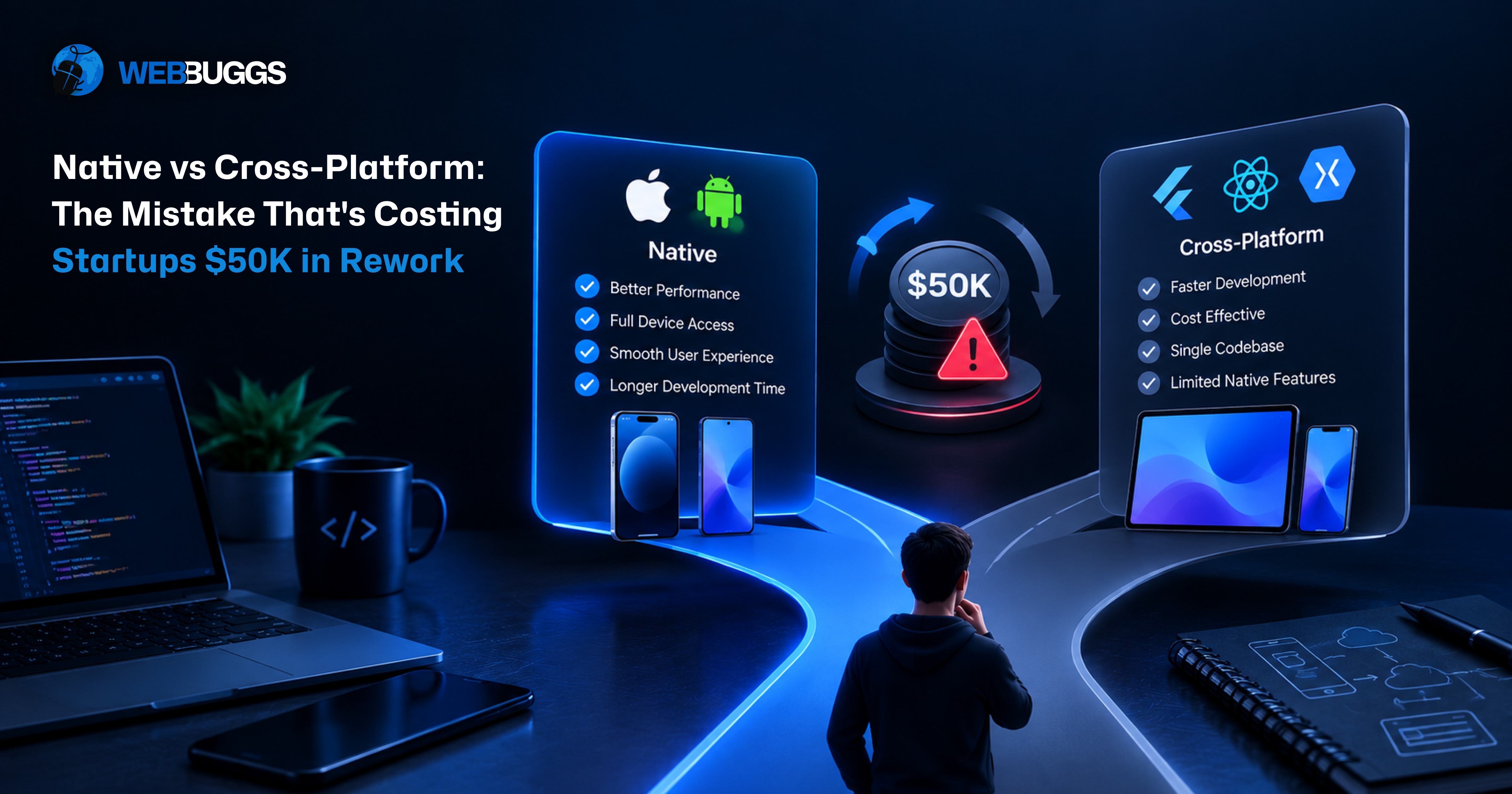
Native vs Cross-Platform: The Mistake That's Costing Startups $50K in Rework
Native apps are built separately for iOS and Android using each platform's own tools: Swift for iOS, Kotlin for Android. Cross-platform apps share one codebase across both platforms, using frameworks like Flutter or React Native. The expensive mistake isn't picking the "wrong" one; it's choosing based only on what Version 1 costs, without checking what your app will need 12 to 18 months from now.
"We'll build it cross-platform. It's cheaper." That sentence can save a startup months of development. It can also become the reason the team rebuilds half the app a year and a half later.
The same mistake happens in reverse. A founder hears that native apps perform better and immediately approves separate iOS and Android builds for an MVP that hasn't been validated yet. Now the startup is paying two development costs before it knows if anyone wants the product.
This is why the native vs. cross-platform decision shouldn't start with "which one is better?" It should start with: what will this app actually need to do over the next two years?
At Webbuggs, our mobile app development team evaluates product requirements, device capabilities, performance targets, integrations, roadmap, team structure, and expected scale before recommending native, cross-platform, or a mixed architecture. Because a $40,000 MVP that needs $50,000 of rework isn't a $40,000 app. It's a $90,000 architecture decision.
What Native vs. Cross-Platform App Development Actually Means
Quick answer: Native development builds a separate app for each operating system using that platform's own technologies. Cross-platform development uses a single framework that shares a significant portion of the codebase across iOS and Android.
For iOS, native development typically means Swift and Apple's SDKs. For Android, it means Kotlin and the Android SDK. Cross-platform apps are most commonly built with Flutter, React Native, or Kotlin Multiplatform.
But "cross-platform" doesn't mean every line of code is automatically identical on both platforms. You still write two Xcode and Android Studio projects, submit to two different app stores, and deal with two sets of platform conventions, permission systems, and lifecycle behaviors underneath the shared layer. That distinction matters more than most founders realize going in, and it's the root of most of the mistakes below.
The Real Mistake: Choosing for Launch Day, Not Month 18
Quick answer: Rework happens when the approach that made sense on day one stops matching what the app needs later. What's cheap and fast at launch turns expensive the moment the roadmap outgrows the choice.
Neither native nor cross-platform is wrong on its own. The mistake is treating this as a one-time budget decision instead of a roadmap decision. Here are the patterns we see most often, and why each one turns into a bill nobody budgeted for.
Going cross-platform for an app that needs deep device features
Cross-platform works well for most business apps. It struggles when your core feature leans hard on the device itself, think AR, heavy camera processing, on-device machine learning, or advanced sensor access. Frameworks reach these features through plugins, and plugins can lag behind the platform or fall short of what you need. If that feature is your product, you'll end up writing native code for it anyway. Do it late, and you pay for the cross-platform build and the native fix. Real-time features carry the same trap: live chat, tracking, and multiplayer functionality all need stable connections on both platforms, and connection-level failures, not framework choice, are usually what breaks these experiences in production. Whichever approach you pick, plan for real-time behavior early, not after launch.
Going native before the idea has been validated
The opposite mistake is just as common and just as expensive. A founder builds two full native apps for a product nobody has tested yet, doubling the cost for something unproven. If you're still checking whether people want this app, a shared codebase is almost always the safer bet, because it lets you test with real users at a lower cost before you commit to platform-specific engineering.
Picking a framework your hiring market can't support
Your framework decides who you can hire later. According to the 2025 Stack Overflow Developer Survey, roughly two-thirds of developers use JavaScript, while Dart, the language Flutter requires, sits in the single digits. React Native draws from that enormous JavaScript talent pool; a Flutter hire is someone you're recruiting for Flutter specifically. That doesn't make Flutter the wrong choice. It means a smaller talent pool can raise your long-term cost and slow your hiring, and that's worth checking before you commit, not after your lead developer leaves.
Assuming you can "switch later" cheaply
Many founders reason, "we'll start cross-platform and go native if we need to." Switching is possible, but it's rarely cheap: moving from cross-platform to native usually means a partial or full rewrite of the code and every platform-specific feature you built on top of it. Airbnb is the well-known example here: it adopted React Native early to move faster, then later wrote publicly about moving away from it as its priorities changed. That wasn't a failure; it was the right call for that stage of the company. The lesson for a startup isn't to avoid the switch. It's to plan for it, so it becomes a budgeted step instead of an emergency rebuild.
Treating shared code percentage as the whole story
Teams love to celebrate a number like "we share 95% of our code." It sounds impressive, but ask what's inside the remaining 5%. If it's payments, camera access, push notifications, Bluetooth, background location, and authentication, that's the hardest 5% of the app, and it can consume 30% or more of total engineering time regardless of what the headline percentage claims. Don't evaluate a cross-platform architecture by lines of shared code. Evaluate it by shared development effort, because those two numbers frequently tell very different stories.
How a $50K Rework Actually Happens
Quick answer: A mid-size rework typically costs close to what the original build cost, plus UI/UX adaptation, QA, and re-release work, which lands around $50,000 for a startup-scale app rebuilt by a small team over roughly three months.
This is an illustrative model, not an industry benchmark. Your real number depends on your rates, your app's size, and your team's location and seniority. But the shape of it holds up consistently. For a mid-size app rebuilt by two developers over twelve weeks at a blended rate of $40 an hour, the rebuild development work alone, roughly 960 hours, lands around $38,000. Add UI/UX adaptation to fit each platform's design conventions (typically $4,000 to $6,000), QA and regression testing across real devices (another $4,000 to $6,000), and release and migration work covering store re-submission and data migration ($1,000 to $2,000), and the total lands squarely in the $47,000 to $52,000 range. Higher agency rates push this up; a smaller app pulls it down, but most of the cost is simply paying for the same product twice.
And that estimate leaves out everything that doesn't show up on an invoice: three months spent rebuilding is three months not spent shipping new features, users and investors notice when progress visibly stalls, and a rebuilt app goes through Apple and Google review all over again, with every rejection adding days you didn't plan for.
It's also worth naming what actually causes a rework this size, because it's rarely "we decided Flutter or React Native was bad." It's usually a string of assumptions that turned out to be wrong: we thought the SDK supported that. We didn't know background processing would become central. We assumed both platforms behaved the same way. We didn't expect offline mode to matter this much. We chose the cheapest proposal without asking what it included. Each of those is information the team could have investigated before writing a single line of code. Architecture mistakes are usually discovery mistakes wearing a technical disguise.
When Native App Development Is the Right Call
Quick answer: Choose native when your app depends on top-tier performance, deep hardware access, strict security requirements, or when you're only building for one platform to begin with.
Native is the strongest fit for AR and VR experiences and gaming, which need full access to the device's sensors and graphics stack. It's also the safer default for banking and healthcare apps, where direct access to platform-level security features matters more than development speed. Anything doing heavy on-device processing, such as real-time video or audio, or machine learning frameworks like Apple's CoreML, runs best when it's built natively. And if your entire user base sits on one platform, native avoids paying for cross-platform reach you'll never actually use.
The trade-off is real. Native means two codebases, which usually means two teams or a larger single team, and it means every feature and every bug fix effectively happens twice. Launch takes longer because you're building and testing two separate products. For a startup running on a limited runway, that adds up fast, which is exactly why native works best when the app genuinely needs it, not as a default starting position.
It's also worth being honest about what native doesn't buy you: a better user experience by default. Users never open an app and think "excellent, this screen was written in Swift." They experience speed, clarity, responsiveness, and familiar gestures, all implementation outcomes, not framework labels. A poorly built native app can feel just as frustrating as a poorly built cross-platform one, and a carefully built cross-platform app can feel indistinguishable from native to the people actually using it.
When Cross-Platform App Development Is the Right Call
Quick answer: Choose cross-platform when you need both platforms launched quickly, want to control costs, and your app doesn't depend on extreme hardware performance.
Cross-platform is a strong fit for MVPs and idea validation, where getting in front of real users matters more than platform-native polish. It also works well for content, social, and e-commerce apps that are mostly built from screens, lists, and forms, and for business or productivity tools where function matters more than elaborate animation. If you're launching on both platforms with one team and a limited budget, this is usually the more efficient starting point.
Well-known apps prove this works at real scale. Instagram, Walmart, and Coinbase are commonly cited React Native examples; Google Ads, the My BMW App, eBay Motors, and Alibaba are commonly cited Flutter examples. These aren't hobby projects; they're production apps serving millions of users.
That said, cross-platform isn't automatically faster to build. Sharing code only creates leverage when the code is genuinely shareable. If your roadmap includes several advanced platform-specific integrations, unsupported SDK features, and different payment or navigation flows per platform, your developers may spend a meaningful chunk of their time working around the framework instead of building with it. "Faster" depends entirely on what you're actually building.
Flutter vs. React Native in 2026
Quick answer: Neither framework is universally better. React Native fits teams with existing JavaScript or React expertise and draws from a much larger hiring pool; Flutter suits teams that want tightly controlled, animation-heavy custom interfaces and are comfortable adopting Dart.
React Native uses JavaScript or TypeScript and renders through native platform components, which means UI elements look and behave like the platform's own controls by default. Its hiring pool is enormous because it draws from the broader JavaScript ecosystem, and its New Architecture is now the default, mandatory as of version 0.82, which has mostly retired the old complaint that React Native is slow because of its "bridge." Flutter uses Dart and draws its own interface with its Impeller rendering engine rather than relying on native UI components, which gives teams more granular control over custom, brand-driven interfaces at the cost of a smaller, more specialized hiring pool. Current estimates put Flutter's market share around 46% and React Native's around 35 to 38%, though these figures vary by source and should be treated as directional rather than precise.
This raises a fair question: is Flutter really native? Partly. It compiles to native machine code, so it runs fast, but it draws its own interface instead of using the platform's built-in UI components the way React Native does. Flutter is natively compiled; it isn't native UI in the strict sense of the term.
The right choice between the two shouldn't come down to a popularity contest. Compare the specific packages and native SDK support your product actually needs, your team's existing experience, your hiring realities, the performance of your genuinely critical workflows, and your expected upgrade path, then choose based on that, not on which framework trended on social media this month.
Kotlin Multiplatform and the Hybrid Middle Ground
Quick answer: A hybrid architecture shares business logic across platforms, such as networking, data models, and validation, while keeping native code for the features that specifically need it, which lowers rework risk because you never face an all-or-nothing rewrite.
Kotlin Multiplatform is built specifically for this: you write business logic once in Kotlin and compile it for both Android and iOS, while keeping fully native interfaces or platform-specific integrations wherever the product calls for them. Teams often share 60% to 95% of their code this way. Netflix uses this approach for its Studio apps, writing core business logic once in Kotlin and compiling it for both platforms, chosen specifically for reliability and delivery speed on offline-heavy internal tools.
The broader point matters more than the specific technology: you don't have to choose between 0% and 100% shared code. If roughly 80% of your app is ordinary product functionality, such as authentication, profiles, search, content, settings, and API-driven screens, while 20% requires advanced platform-specific capability, you can get cross-platform efficiency for the majority of the app while implementing the specialized 20% natively. The condition that makes this work is discipline: use native code deliberately, at a clean boundary, not as a slowly growing pile of one-off patches scattered through the app.
It's also worth remembering that choosing a framework to avoid platform lock-in doesn't actually eliminate dependency, it just changes what you depend on. A cross-platform app depends on the framework's APIs, its package ecosystem, its build tooling, its release cadence, and the health of its plugin maintainers. That's not a reason to avoid cross-platform. It's a reason to evaluate those dependencies with the same seriousness you'd apply to a native SDK choice.
Why Backend Performance Usually Matters More Than the Framework Debate
Quick answer: Most of the speed complaints users report have nothing to do with whether the interface was built in Swift, Kotlin, Flutter, or React Native. They come from slow APIs, unoptimized database queries, and oversized data payloads.
Picture this: your native UI renders in 20 milliseconds, your cross-platform UI renders in 30 milliseconds, and your API takes 2,800 milliseconds to respond. You're arguing about the wrong 10 milliseconds. This matters even more for data-heavy dashboards and real-time features, where connection management, including WebSocket lifecycle, authentication, reconnect behavior, message ordering, and how each platform handles background execution, tends to determine the actual user experience far more than which framework rendered the button.
Your backend also shouldn't be built around the assumption that it only ever serves one mobile client. Over time it will likely need to serve iOS, Android, web, internal admin dashboards, partners, and automation tools. A backend designed around your actual product and data requirements, rather than coupled tightly to one specific mobile implementation, makes every future architecture change less painful, regardless of what you eventually decide about native versus cross-platform.
App Store and Google Play Compliance Doesn't Go Away With Cross-Platform
Quick answer: Sharing one codebase doesn't mean you're dealing with one set of rules. A cross-platform app still has to satisfy Apple's App Store requirements and Google Play's policies independently.
This includes privacy disclosures, permission handling, account deletion flows, payment and subscription rules, store metadata, reviewer access, and platform-specific declarations. A cross-platform app can pass Google Play review cleanly and still fail Apple's review on an unrelated requirement. A native app can fail both. Framework choice doesn't substitute for compliance work, and it's worth budgeting review-cycle time into your launch plan regardless of which architecture you choose, since a rejection three days before a planned launch date is its own kind of costly surprise.
Prototype the Hardest Feature First, Not the Easiest
Most teams validate their architecture by prototyping the easy stuff first: login, a profile screen, the home feed, a basic API call. Of course those work in any framework. That tells you almost nothing about whether your chosen architecture will hold up.
Instead, prototype the feature most likely to break your technology choice, whether that's Bluetooth pairing, background GPS tracking, real-time video processing, complex custom animation, offline synchronization, AR, a specialized payment SDK, or large media uploads, depending on what your product actually needs. If your framework handles your single hardest requirement acceptably, the rest of the architecture decision becomes dramatically safer. If it doesn't, you've just saved yourself from discovering that fact after month six, once 80% of the "easy" app is already built and the remaining 20% quietly invalidates the whole approach.
This is also the moment to stress-test your assumptions about third-party SDKs. Before committing to a framework, check whether the specific payment, video, analytics, health, mapping, or identity-verification SDKs your product depends on are actively maintained, whether they support the current platform SDK version, and what happens if the maintainer stops updating them. Dependencies are architecture decisions; treat them with the same weight you'd give a native versus cross-platform choice itself.
A Practical Way to Score the Decision for Your Startup
Answer these questions honestly before you approve a build, and let the pattern in your answers guide the starting point:
- Which platforms need to launch at the same time: one, or both iOS and Android together?
- Does your core feature depend on deep hardware access, like AR, advanced sensors, or heavy camera processing, or is it mostly screens, forms, and content?
- What will the app need to do in 12 to 18 months: heavier performance and new OS features, or more functionality built on the same foundation?
- Who can you actually hire: strong iOS and Android specialists, or a team with web and React experience?
- How long is your runway: long enough to fund two parallel builds, or short enough that speed matters more than platform-native polish?
- How validated is the idea: are you scaling something proven, or still testing whether anyone wants it?
If you can't confidently answer the questions about hardware requirements, your hardest technical feature, your critical third-party SDKs, and your 12-to-24-month roadmap, you're not ready to make this decision yet, and that's a useful thing to know before you sign a contract, not after.
Then run one final gut check: which choice would you regret more in 12 months? If the answer is "paying for two apps nobody asked for," lean cross-platform. If it's "rewriting the app because the camera feature never worked right," lean native. A second opinion before you build is almost always cheaper than a rebuild after you've launched.
What This Looks Like in Practice
Consider a startup building a marketplace app. Version 1 needs user accounts, listings, search, messaging, payments, push notifications, and profiles, a scope where cross-platform development is often an excellent choice, and the startup launches successfully on that foundation.
Then the roadmap changes. Customers start asking for live location tracking, background tracking, advanced camera functionality, heavier media processing, more sophisticated push behavior, platform-specific widgets, deeper Bluetooth integration, and complex offline synchronization. One by one, the development team starts writing native modules to cover gaps the framework's plugins can't reach. A plugin doesn't support a required behavior, so they build a native module for it. An SDK behaves differently on iOS, so they add another platform-specific implementation. Android needs a different lifecycle workaround, so they write another one. Quietly, the "single shared codebase" now contains shared application code, iOS-specific code, Android-specific code, framework bridges, platform-specific dependencies, and separate test and bug paths for each.
The startup didn't necessarily choose the wrong framework at the start. It chose without fully understanding where the product was going, and that gap between the two is exactly what turns into expensive rework eighteen months later.
The Bottom Line
The native versus cross-platform choice was never really about which technology is objectively better. It's a question of fit between your product's real requirements and the stage you're actually in: validating an idea, scaling a proven one, or somewhere in between.
Cross-platform can give an early-stage startup enormous leverage: one team, one codebase, faster time to market, lower initial cost. Native gives a mature or hardware-dependent product deep platform control that a shared framework can't fully replicate. A hybrid, shared-logic approach can give you real pieces of both, without forcing an all-or-nothing bet.
The mistake that actually costs startups $50,000 isn't picking native or picking cross-platform. It's asking only "how much will Version 1 cost?" instead of also asking what Version 2 and Version 3 will require, which hardware features are already on the roadmap, which third-party integrations are unavoidable, and where performance is genuinely, not theoretically, critical.
At Webbuggs, our mobile app development team works through these questions with founders before architecture becomes expensive to change, and can walk through this scorecard against your actual product and roadmap. Because saving $20,000 on the first version means very little if that same decision quietly creates $50,000 of rework the moment your product finally starts growing.
Frequently Asked Questions
What is native vs. cross-platform app development?
Native development builds separate applications for each platform using that platform's own tools: Swift and Apple's SDKs for iOS, Kotlin and the Android SDK for Android. Cross-platform development uses a single framework, such as Flutter or React Native, to share a significant portion of the codebase across both platforms. Native typically offers stronger performance and deeper device access; cross-platform typically offers lower cost and a faster path to launching on both platforms at once.
Which is better in 2026: React Native or Flutter?
Neither wins universally. Flutter currently holds a larger share of the cross-platform market and suits teams building custom, animation-heavy interfaces. React Native draws from the much larger JavaScript and React talent pool and fits teams that already have that expertise. Both are mature frameworks in 2026. The right pick depends on your team's existing skills, your app's specific requirements, and your long-term roadmap rather than either framework's general reputation.
Is Flutter really native?
Partly. Flutter compiles to native machine code, which is why it performs well, but it draws its own interface rather than using each platform's built-in UI components. React Native takes the opposite approach and uses native components directly. Flutter is best described as natively compiled, not native UI in the strict sense.
What are the disadvantages of native app development?
Native development requires two separate codebases, which means most features and bug fixes need to be built and tested twice, coordinating feature parity between iOS and Android takes real organizational effort, and launch timelines run longer because you're effectively shipping two products. For a startup running on a limited runway, that combination can add up quickly, which is why native tends to work best when the product genuinely requires it rather than as a default starting choice.
Is WhatsApp a native app?
WhatsApp is widely and commonly cited as a native app example, though there's no official public breakdown confirming every detail of its stack. Large, long-running apps also tend to evolve their technology choices over time, so it's more useful to evaluate your own architecture decision against your own product's requirements than to copy a global company's stack based on name recognition alone.
Is Netflix using React Native?
Netflix's consumer mobile apps are widely reported as native, built primarily with Swift and Kotlin. Netflix's own engineering team has also written publicly about using Kotlin Multiplatform for its internal Studio apps, chosen for reliability and delivery speed on offline-heavy tools. Large companies frequently use multiple technologies across different products and teams, so a company's use of one framework in one area doesn't mean its entire consumer application shares that same architecture.
Is React Native free or paid?
React Native itself is open source and free to use, with no framework licensing fee. The real costs of building and running a React Native app come from engineering time, infrastructure, third-party services, testing, ongoing maintenance, and app store developer accounts, all of which apply regardless of which framework you choose.
Can I learn Flutter in three months?
You can learn the fundamentals in that timeframe, particularly if you already have programming experience. Developers new to Dart typically need about four to six weeks to become comfortable with the language itself. Building genuinely production-ready apps takes longer than that and depends heavily on your existing background and the complexity of what you're building.
What actually creates a $50,000 rewrite?
It's rarely a single bad framework decision. It's usually a series of assumptions that turned out to be wrong: assuming an SDK supported a feature it didn't, underestimating how central background processing or offline mode would become, assuming both platforms would behave identically, or choosing the cheapest proposal without checking what it actually included. Each of these is something the team could have investigated before development started, which is why most expensive rework is really a discovery failure wearing a technical disguise.
How do I know if my cheapest proposal is actually my cheapest option?
It depends entirely on what's included. Before comparing price alone, check whether each proposal covers architecture discovery, backend development, native module work, automated testing, App Store and Google Play submission, analytics, crash monitoring, CI/CD, performance testing, post-launch support, source code ownership, documentation, and security. A lower quote can be genuinely efficient, or it can simply be incomplete, with the missing pieces showing up later as unplanned cost.
.png)
%20%E2%80%94%20The%202026%20App%20Store%20Rules%20Nobody%20Told%20You%20About.jpg)